Weekly Content Planning Routine
If you’ve ever sat down to post on social media and thought,
“Ugh… what should I even post today?” — you’re not alone.
For most small business owners, creators, and busy moms, content creation feels chaotic, rushed, and mentally exhausting.
Not because you’re bad at marketing.
But because you don’t have a simple weekly content planning routine.
This post will show you how to plan your content in a calm, realistic way using a weekly planner, digital planner, or Canva planner templates — so you can stay consistent without overwhelm.
Why Weekly Content Planning Changes Everything
When you don’t plan content weekly, three things usually happen:
You post inconsistently
You scramble for ideas at the last minute
You feel constant pressure to “keep up”
Weekly content planning solves this by:
✔ Giving you clarity
✔ Reducing daily decision fatigue
✔ Helping you batch work
✔ Creating consistency across platforms
✔ Making marketing feel lighter and more intentional
The Goal of a Weekly Content Planning Routine
Your routine should:
Take 30–60 minutes per week
Feel calm, not heavy
Create clarity, not pressure
Work with your real life
Be easy to repeat every week
You are not building a viral machine.
You are building a sustainable content system.
Step 1: Choose Your Weekly Content Focus
Start by choosing one main theme for the week.
Examples:
Productivity tips
Wedding planning advice
Business organization
Planner education
Personal growth
Behind-the-scenes business life
This gives your content direction and cohesion.
Write this at the top of your weekly planner or digital planner.
Step 2: Decide How Many Times You’ll Post (Realistically)
Do not copy influencers.
Choose a number you can sustain.
Good weekly posting targets:
3 posts per week (great for beginners)
5 posts per week (ideal for growth)
7 posts per week (only if you’re batching ahead)
Consistency beats volume.
Step 3: Brain Dump Content Ideas
Now brainstorm ideas related to your weekly theme.
Example: Planner Education
How to use a weekly planner
Why aesthetic planners improve consistency
Turning big goals into weekly actions
Planning 2026 without overwhelm
Weekly planning for small business owners
Use a brain dump page, content planner page, or digital planner notes section.
Don’t filter yet. Just dump ideas.
Step 4: Choose 3–7 Content Pieces for the Week
From your brain dump, choose the ideas that:
Feel easiest to create
Support your products or services
Answer your audience’s real problems
These become your official weekly content plan.
Step 5: Assign Platforms + Formats
Now decide:
Where each post will be published
What format it will use
Example:
Pinterest → Blog post pin
Instagram → Reel
Email → Tip of the week
Blog → Value article
Facebook → Carousel
This step prevents random posting.
Step 6: Add Simple Calls-to-Action
Every post should gently guide your audience somewhere.
Examples:
Read the full blog post
Download the free guide
Explore the planner templates
Join the email list
Save this pin for later
No pressure. Just direction.
Step 7: Schedule or Batch Content
This is where everything gets lighter.
Instead of creating daily:
Batch content once or twice a week
Schedule posts in advance
Prepare pins, captions, and graphics together
Even 60–90 minutes of batching can cover your entire week.
Why a Planner Makes This 10x Easier
Trying to hold all this in your head doesn’t work.
A dedicated content planning system changes everything.
Using a weekly planner, digital planner, or Canva planner templates lets you:
✔ Track content ideas
✔ Plan posting schedules
✔ Organize campaigns
✔ Monitor analytics
✔ Stay consistent
✔ Reduce overwhelm
A Simple Tool That Supports This Routine
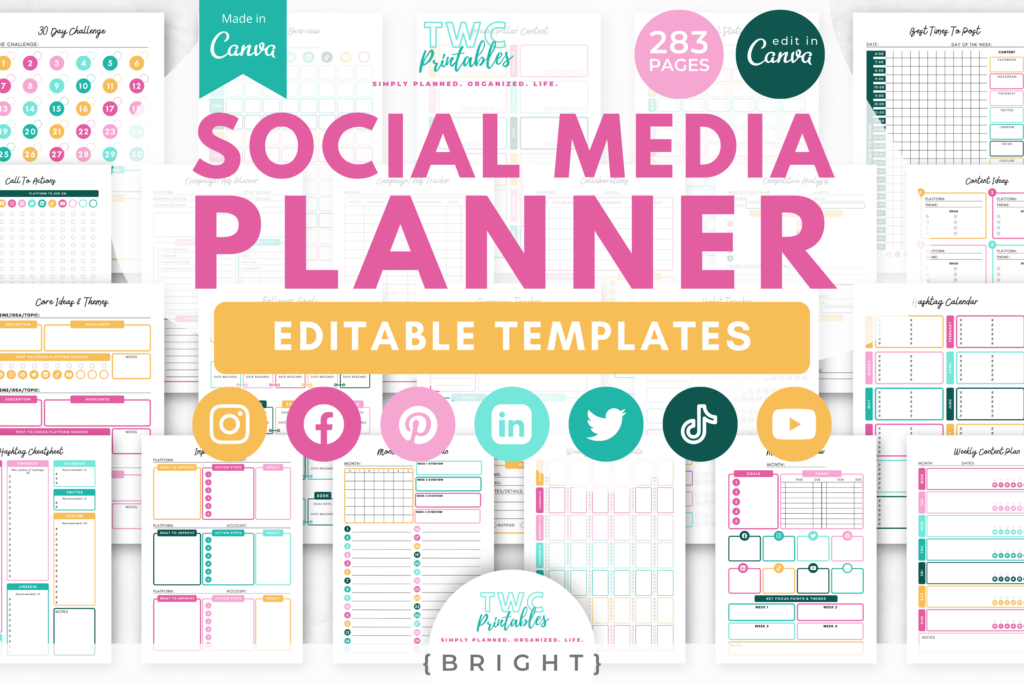
If you want an all-in-one content planning system, these Social Media Planner Canva Templates are designed exactly for this purpose.
They include digital planner pages for:
Weekly content planning
Monthly content calendars
Content ideas brain dumps
Posting schedules
Campaign planning
Social media tracking
They work beautifully with:
Canva
Digital planners
Printable planners
Business planning systems
You can naturally integrate them into this weekly routine and reuse them every single week.
Your Weekly Content Planning Checklist
Here’s a simple routine you can repeat every week:
Choose weekly theme
Decide posting frequency
Brain dump content ideas
Select 3–7 posts
Assign platforms + formats
Add calls-to-action
Batch or schedule content
That’s it.
No hustle.
No pressure.
No chaos.
You don’t need to be more disciplined.
You need a gentler system.
A weekly content planning routine gives you:
Clarity
Consistency
Confidence
Calm momentum
Whether you’re using a digital planner, a weekly planner, or Canva planner templates, this routine will help you stay visible without burning out.