A Low-Friction Weekly Planning System for Adults With ADHD

Planning feels much easier when the important details already have a clear place to live.

A low-friction weekly planning system for an adult with ADHD uses one capture place, a short weekly reset, very few visible priorities and a next-opportunity restart. It can support organisation, but it is not treatment and should complement professional care where needed.

Overhead editorial concept introducing how to use a planner with adhd

The short version

In this guide

The details that make the plan work

Planning feels much easier when the important details already have a clear place to live. A low-friction weekly planning system for an adult with ADHD uses one capture place, a short weekly reset, very few visible priorities and a next-opportunity restart. It can support organisation, but it is not treatment and should complement professional care where needed.

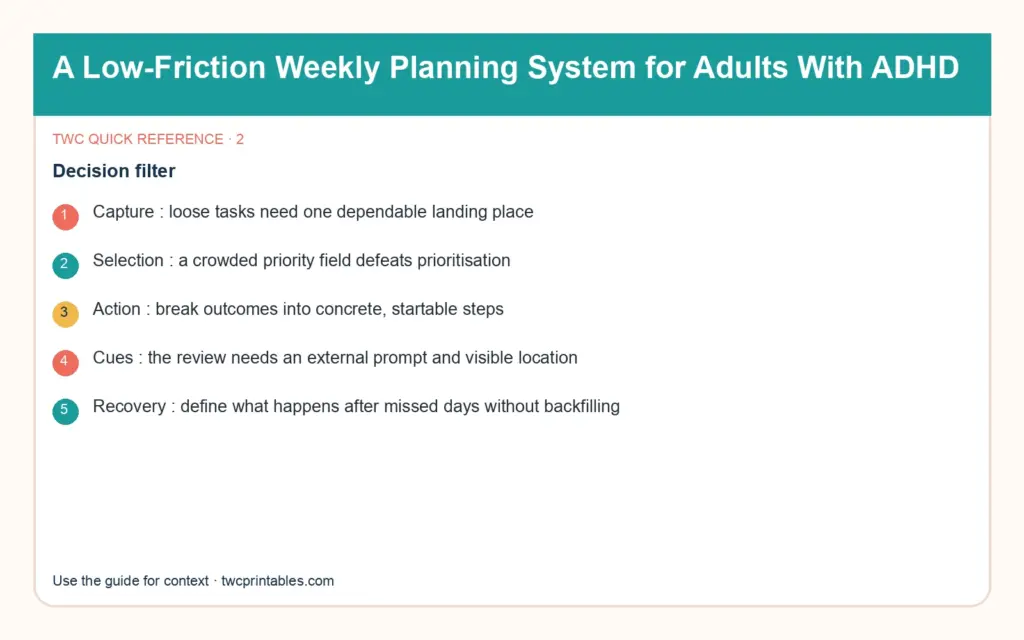
  • Capture: loose tasks need one dependable landing place.
  • Selection: a crowded priority field defeats prioritisation.
  • Action: break outcomes into concrete, startable steps.
  • Cues: the review needs an external prompt and visible location.
  • Recovery: define what happens after missed days without backfilling.
Person working through a practical how to use a planner with adhd process

Build it step by step

Work through these in order the first time. Once the system is familiar, your regular review can be wonderfully short.

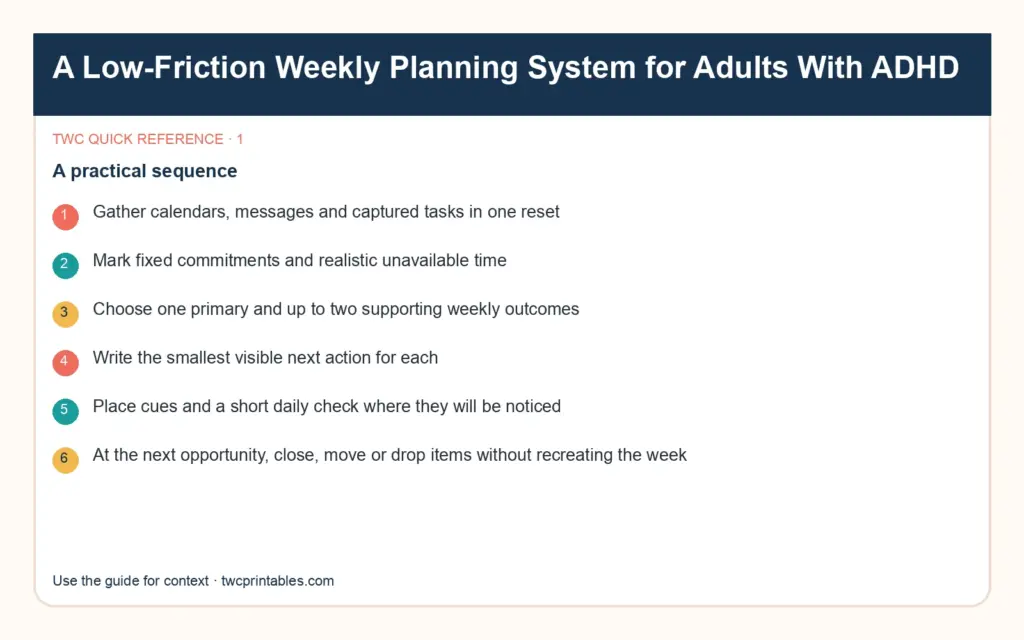
1. Gather calendars, messages and captured tasks in one reset

Begin here before you add anything optional. A clear starting point saves a surprising amount of rework later.

2. Mark fixed commitments and realistic unavailable time

Keep this information together in one place. When the facts are easy to find, the next decision becomes much simpler.

3. Choose one primary and up to two supporting weekly outcomes

Now shape the plan around what is actually available—your real time, tools, budget and capacity.

4. Write the smallest visible next action for each

This is where the plan becomes flexible. Leave enough breathing room for the ordinary changes real life brings.

5. Place cues and a short daily check where they will be noticed

Do a practical check before moving on. Make sure the people, dates, quantities and access details still line up.

6. At the next opportunity, close, move or drop items without recreating the week

Finish with a simple review rule: keep what helps, remove what does not, and update only the part that changed.

Hands arranging the key steps for how to use a planner with adhd

A real-life example

A weekly reset takes 15 minutes beside a recurring phone reminder. The page shows three outcomes, appointments and a parking lot. Each morning, one next action is circled. After two missed days, the person opens the same page, crosses out expired items and chooses today’s smallest restart action.

Notice the pattern: the plan holds the useful details, but it still leaves room for a human day. That is the sweet spot.

Original decision diagram 1 for how to use a planner with adhd

Four easy traps to avoid

Turning the reset into a long life review

Pause and return to the first decision. Clarity now is far more useful than extra detail built on the wrong assumption. Try this instead: Mark fixed commitments and realistic unavailable time.

Filling the page with every open loop

Bring this back to one trusted source of truth so you are not maintaining the same information in several places. Try this instead: Choose one primary and up to two supporting weekly outcomes.

Using vague verbs such as “handle” or “work on”

Test the smallest workable version first. You can add more once the page has earned a place in the routine. Try this instead: Write the smallest visible next action for each.

Backfilling missed days to make the planner look complete

Add a reset point. A useful system should help you continue after a change, not make you feel as though you have failed it. Try this instead: Place cues and a short daily check where they will be noticed.

Original decision diagram 2 for how to use a planner with adhd

Your ready-to-use checklist

Use this as a cheerful final check—not another list you have to manage perfectly. If the important details are covered, you are ready to begin.

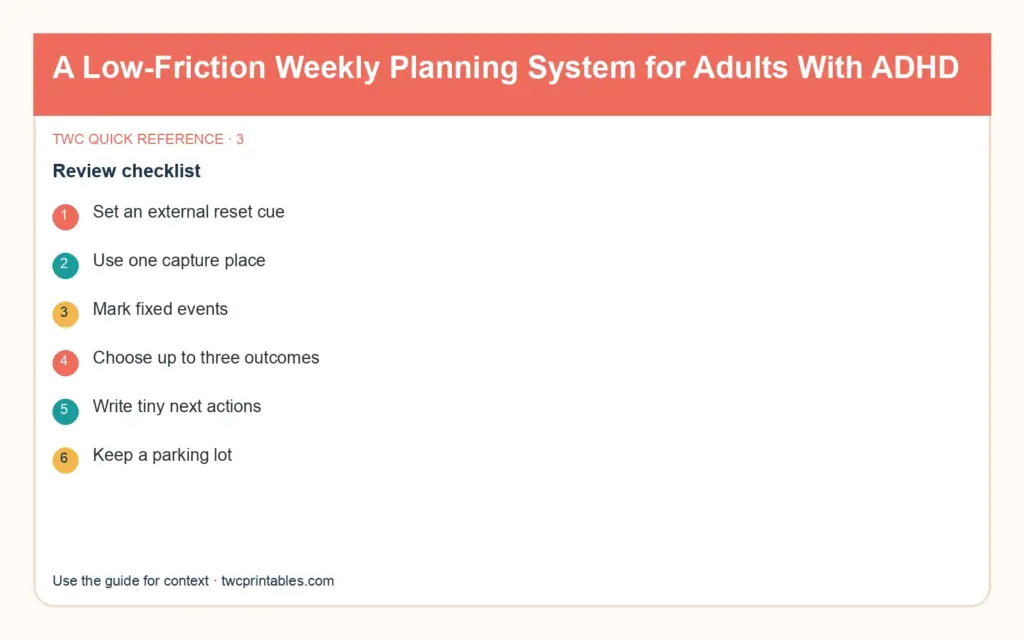
  • Set an external reset cue.
  • Use one capture place.
  • Mark fixed events.
  • Choose up to three outcomes.
  • Write tiny next actions.
  • Keep a parking lot.
  • Check briefly each day.
  • Restart at the next opportunity.
Original decision diagram 3 for how to use a planner with adhd

Keep the key details close

Key facts

Best starting point
A low-friction weekly planning system for an adult with ADHD uses one capture place, a short weekly reset, very few visible priorities and a next-opportunity restart. It can support organisation, but it is not treatment and should complement professional care where needed.
Plan around
Capture, Selection, Action, Cues and Recovery
Recommended editable template
Weekly Planner Kit Templates for Canva Source

Frequently asked questions

Frequently asked questions

Should people with ADHD use a planner?

A low-friction weekly planning system for an adult with ADHD uses one capture place, a short weekly reset, very few visible priorities and a next-opportunity restart. It can support organisation, but it is not treatment and should complement professional care where needed.

What should I decide before I begin?

Start with capture, selection and action. Those choices shape the pages, level of detail and routine that will actually be useful.

Can an editable Canva template make this easier?

A planner can support visibility, time awareness and working memory, but it is a tool rather than medical treatment. Test one simple layout, keep the current plan visible and choose a format that is easy to restart after an interruption.

What is the simplest way to put this into practice?

Begin with gather calendars, messages and captured tasks in one reset, mark fixed commitments and realistic unavailable time and choose one primary and up to two supporting weekly outcomes. Use the smallest complete version for one real cycle, then keep what helps and simplify what does not.


Ready for a beautiful head start?

Start with a ready-made set of editable weekly layouts, so you can test the view that feels clearest without designing every page from scratch.

Sources and review note

The sources below were reviewed for this guide on 26 August 2026. Platform features, prices, policies and legal requirements can change, so confirm the current official terms whenever a decision has legal, financial, health or account consequences.

Sources

  1. ADHD in Adults — Centers for Disease Control and Prevention (accessed )
  2. Attention-Deficit/Hyperactivity Disorder: What You Need to Know — National Institute of Mental Health (accessed )

Reviewed and updated by TWCprintables Editorial Team.